Moving off x11 | And POP!_OS
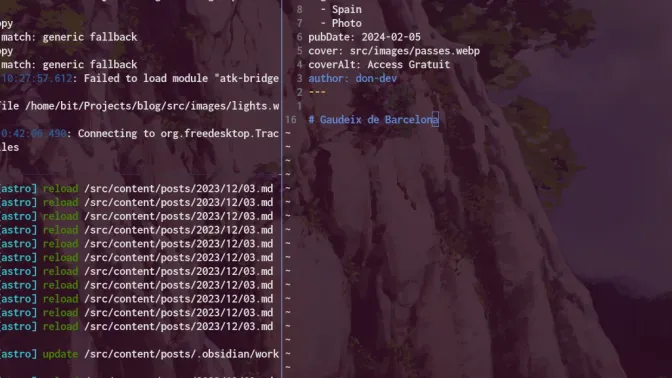
I finally did it! I have been using x11 really because I was POP!_OS and i3wm all the way. Because I customize everything so intensely, I felt locked in. I was super familiar with my curated environment and lived in stable bliss for so long. My main compy is a System76 laptop with hybrid NVIDIA graphics. System76 has a vested interest in the OS and drivers woorking with NVIDIA with 0 issues. I thought one needed to be loco to leave this behind.
COSMIC DESKTOP and the rise of Wayland defaults
POP had announced COSMIC desktop and the new version of POP!_OS was going to be Wayland by default. I was skeptical, but I had to try it. I installed the latest version of POP!_OS and booted into COSMIC. The first thing I noticed was how smooth everything felt. The animations were snappy, and the overall performance was impressive. What is extra cool about this shift; Ubuntu, Fedora, and others have announced they are dropping support of x11 and or making Wayland a default. To me, this meant the tide is turning and my days of stability were coming to a close. Get with the new or get off the pipeline.
Garuda Linux and Hyprland
I learned linux on Arch. I had the usual newbie experience trying to install Arch by sitting with a printed out version of the install guide but if you know you know… I was not much better at understanding what the commands I was copying and pasting meant. I have installed arch since, (and others). I have a much better understanding of what everything means and why. Why you would separate your root partition, or WHY you would swp or no swp. I still wanted an opinionated flavor of Arch with hyprland that was known to be OK with the NVIDIA drivers I needed to configure. Garuda offers an easy GUI installer that makes it a breeze for seasoned and novice users alike.
You are having NVIDIA driver issues?
If you are also coming with an NVIDIA card, this page really helped me out: NVIDIA Drivers on Garuda. I had to install the nvidia-dkms package and then run the nvidia-installer-dkms. I also needed to configure cursor:no_hardware_cursors and no_CPU_buffers to stop the lagging mouse on monitors. I also installed the System76 firmare as well. This might not be for those on other hardware but I needed this to get my keyboard backlight working as expected again.
Seriously, this was it. I’m so glad I updated; the spoils here are really worth it. Just think now is the time and the rise in community support is there. Don’t wait for your distro to drop xOrg and catch you with your threads down.